
Xilly
Call of Duty FPS Optimization
Call of Duty is heavy on both the CPU and GPU, so the right fix depends on whether the PC is CPU-limited, GPU-limited, memory-limited, or overloaded by Windows.
FPS optimization service Gaming PC stutter fix Windows gaming optimization PC parts
Call of Duty FPS proof
Watch the Call of Duty result clip from the benchmark carousel, then open the COD results playlist for more tuning runs.
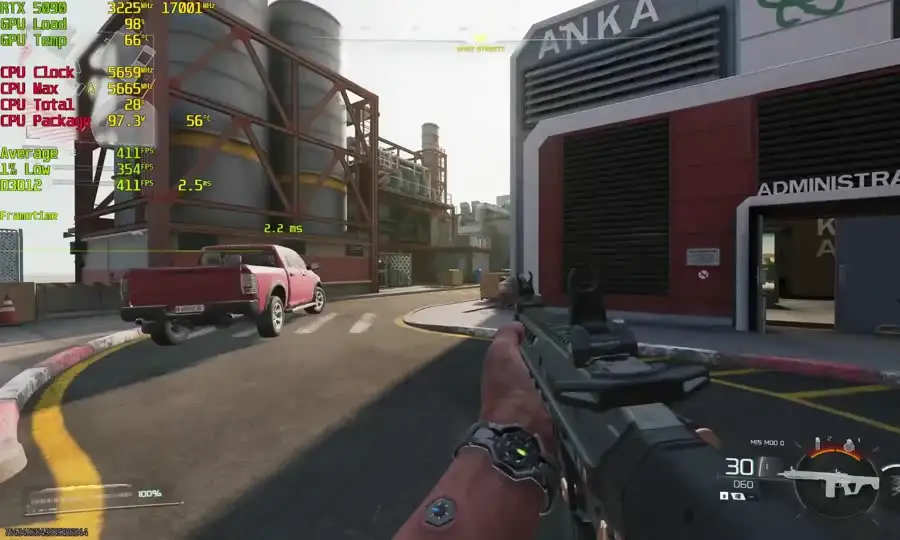
Call of Duty Results - Call of Duty optimization outcomes with stock vs. Xilly-tuned FPS on client rigs.
Who this page is for
Best for players dealing with stutter, low 1% lows, unstable benchmark results, or a GPU that is stuck near the limit.
- Settings are matched to the hardware so the game does not just look better on paper while feeling worse in real matches.
COD needs a balanced setup
Upscaling, render resolution, VRAM usage, shader behavior, driver settings, RAM stability, and CPU boost behavior all matter. A weak GPU needs a different approach than a high-end card with a CPU bottleneck.
- In-game graphics and upscaling reviewed
- CPU and GPU bottleneck behavior checked
- VRAM and RAM usage considered
- Driver and shader cache settings reviewed
Better lows over fake quality
The goal is playable quality with stable performance. On lower-end GPUs, native-looking settings can cost too much. On stronger systems, bad CPU or memory behavior can still crush lows.
- Practical render and upscaling choices
- Frame-time stability prioritized over screenshots
- Settings tuned for your monitor and GPU headroom
Frequently asked questions
Can you make Call of Duty run well on a GTX 1650?
A GTX 1650 can be made more playable, but the GPU is still a hard limit. Optimization helps, but quality settings may need compromises.
Should I use FidelityFX CAS?
FidelityFX CAS is a sharpening pass, not an upscaler. It can improve clarity, but it does not recover performance like lowering render resolution or using upscaling.